Your Community, Your Rules: Every Work.ink Setting Your Users Complained About Is Now a Toggle
If you looked at Work.ink before and decided against it, there is a good chance the reason was not the payout. It was your community. Someone posted "it blocked me for using an adblocker", someone else got stopped for being on a VPN, a third person did not want to make an account or install a browser just to get to your download — and you decided the earnings were not worth the Discord threads.
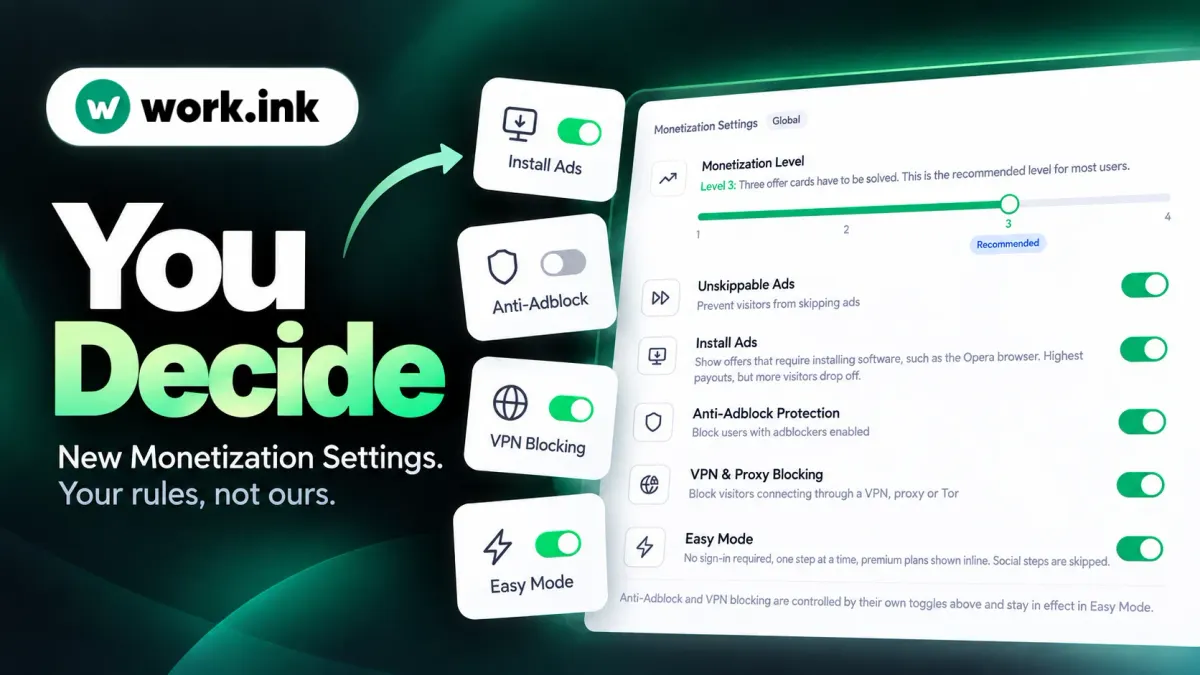
We heard that a lot. So we rebuilt the Monetization Settings page around one idea: you decide what your visitors are asked to do. Every one of the things people complained about is now a switch in your dashboard, and you can turn each of them off independently.
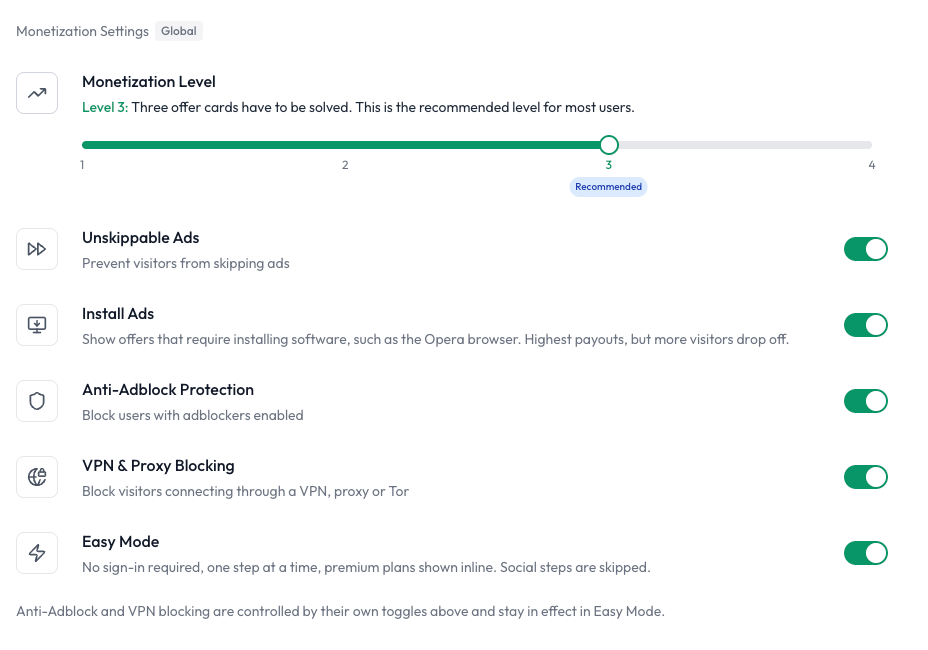
Install Ads — OFF if you want
Install offers like the Opera browser have the highest payouts on the network by a wide margin. They are also the step most likely to make a visitor give up, because installing software is a bigger ask than anything else we show.
If your audience has low intent to finish — casual visitors, younger communities, people who just want a file — you can now turn install ads off entirely. Your visitors will never see an Opera card again. Revenue per completed link goes down, but completion rate goes up, and for many communities that is the better trade.
Anti-Adblock Protection — OFF if you want
Anti-adblock stops visitors who run an adblocker until they disable it. It protects your earnings — a visitor whose adblocker swallows every offer earns you nothing — but it is also the single most common complaint we see forwarded from publishers' communities.
You can now switch it off. Visitors with an adblocker pass through like anyone else. The dashboard will warn you that this lowers earnings, because it does, and then it will do what you asked.
VPN & Proxy Blocking — OFF if you want
The same goes for VPN, proxy and Tor detection. That traffic converts poorly and is often fraudulent, which is why advertisers pay little for it and why blocking it is on by default. But if a meaningful part of your community sits behind a VPN for perfectly good reasons, you no longer have to turn them away. Flip it off and they get the normal flow.
Easy Mode — no account, one step at a time
Easy Mode is the setting for publishers who were told "I'm not signing up for anything just to get your link." With Easy Mode on:
- No sign-in is ever required. Visitors go straight to the steps.
- One step is shown at a time, so the page never looks like a wall of tasks.
- Social steps are skipped. No "follow us on X" before the destination.
- Premium is offered inline, so a visitor who would rather pay a small amount to skip the steps can do that right there, without creating an account first.
Visitors who complete the steps are not held on a timer. The only time a countdown appears at all is when we have nothing to show them — typically because an adblocker blocked every offer — and if that matters to your audience, see the toggle above.
One honest caveat: Easy Mode trades some bypass protection for that convenience. Without a sign-in there is no account to verify a visitor against, so bypass tools are harder for us to stop on Easy Mode links. If your content is a frequent bypass target, pair it with the Key System or leave Easy Mode off.
Monetization Level and Skippable Ads
- Monetization Level sets how many steps a visitor has to solve, from one to four. If your community finds three too many, set it to one or two.
- Unskippable Ads can be turned off, which lets visitors skip an offer they do not want instead of being stuck on it.
"But what does that do to my earnings?"
Honestly: each of these toggles costs something, and the dashboard tells you so next to every one of them. Install ads pay the most per completion, anti-adblock keeps blocked impressions from being wasted, and VPN blocking filters out traffic nobody pays for.
What we did not expect when we started shipping these controls is how well the rest of the network holds up without them. Publishers who have turned off install ads, or anti-adblock, or both, are still seeing very good earnings through our Smart Deals — short, low-friction offers that fit the step format naturally: a quick visit to a sponsor, a one-click action, a short read. They do not require an install, an account, or a wait, they work on desktop and mobile, and they complete at rates that install offers never could. Lower revenue per step, far more steps actually finished. For a lot of communities, that nets out better than the "maximum" configuration ever did.
We said in our August 2025 roadmap that we wanted to reduce the network's reliance on install offers and build a less intrusive experience. These toggles are what that looks like in practice: the aggressive options are still there for publishers who want them, and they are off in one click for publishers who don't.
Where to find it
Dashboard → Settings → Monetization Settings (Global). The changes apply to all of your links immediately.
If you tried Work.ink before and walked away because of something your community said, this is a good moment to try again — with the settings your community would have asked for.